LARKBIRD Smart Coop Door
Works without power.
Works without Wi-Fi.
Tells you what it did.
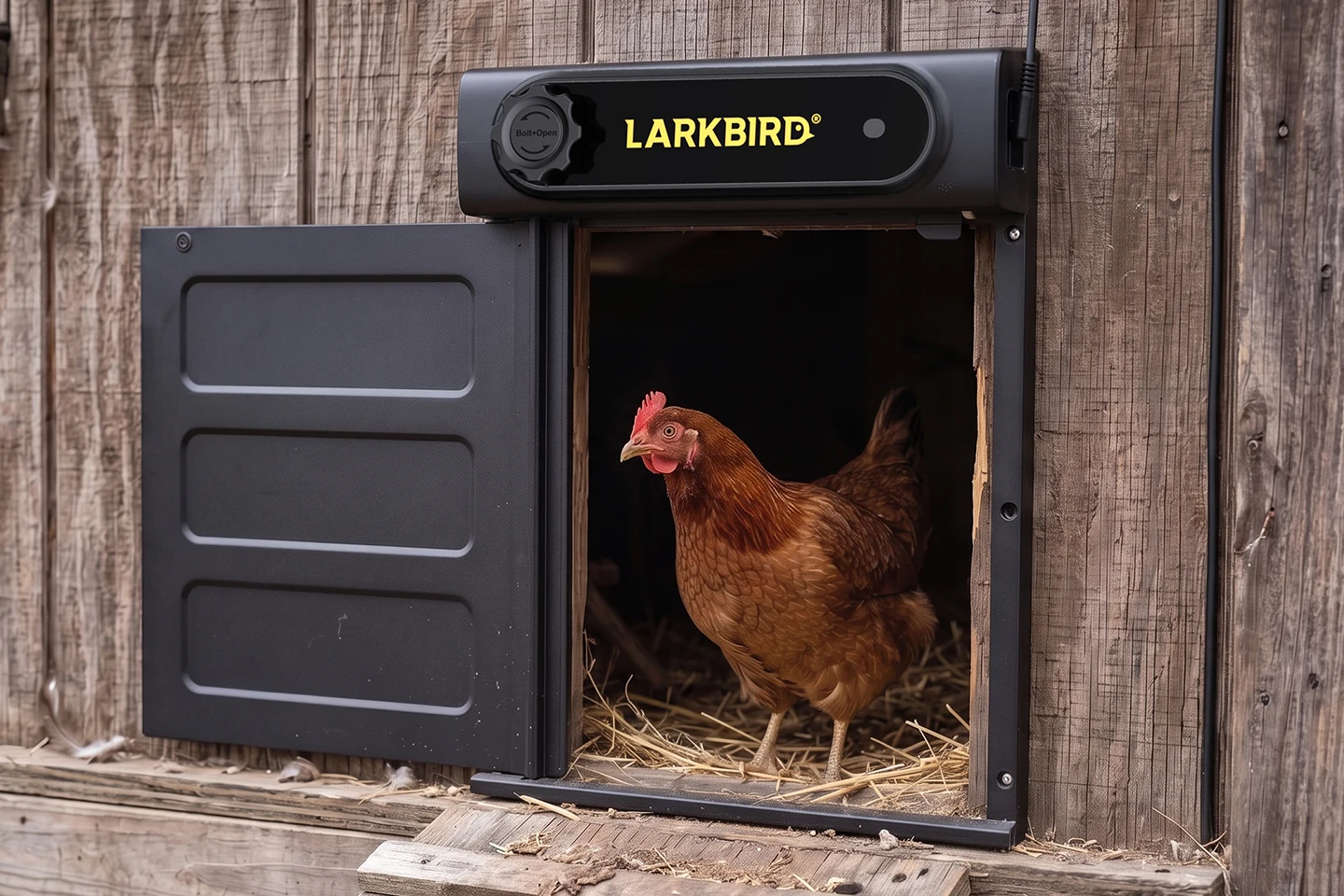
A weatherproof automatic door for your coop, plus an indoor gateway that keeps it connected — so the flock goes out with the sun, locks in at dusk, and you see every move from your phone.
Get launch updates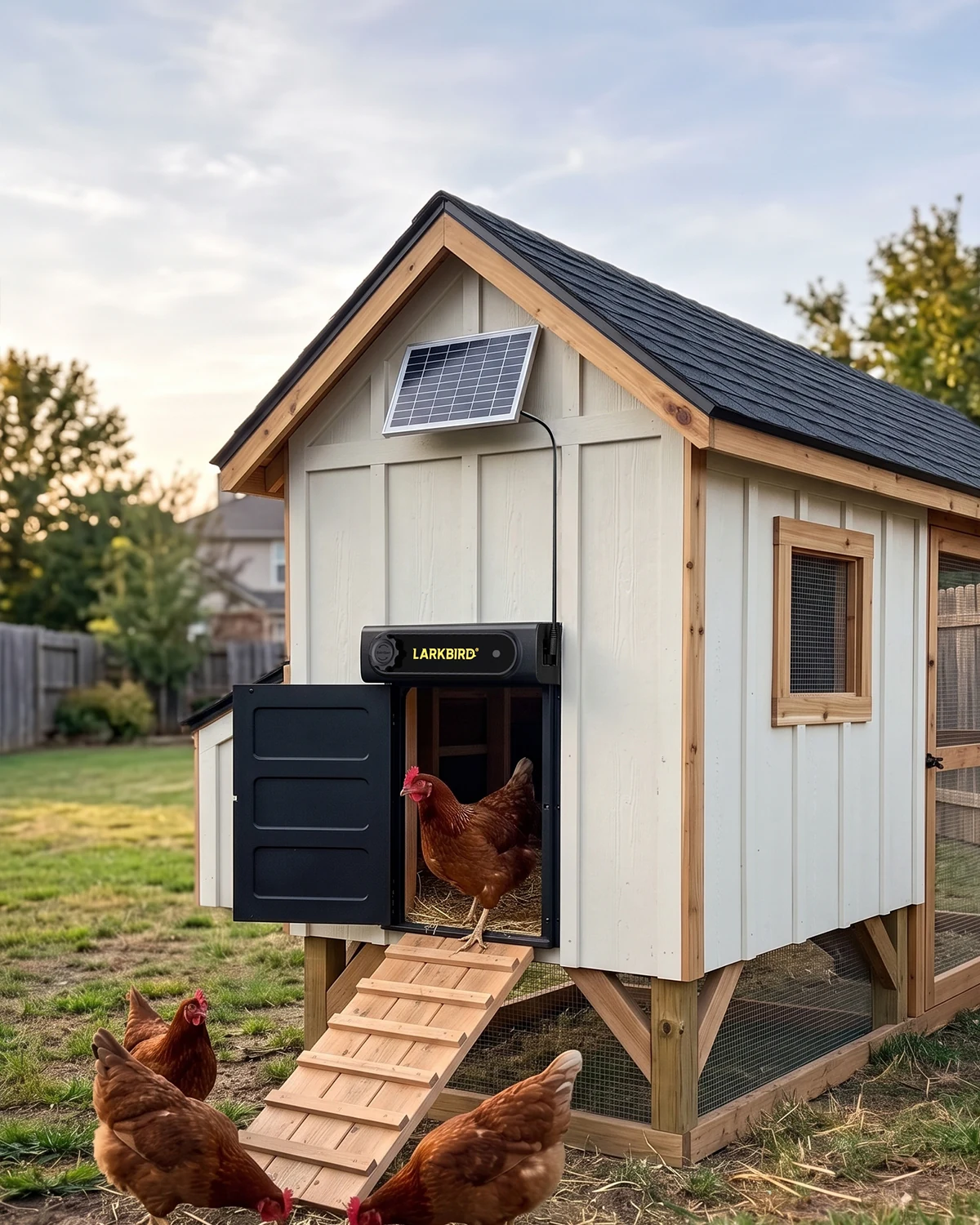
Why two units
No outlets. No Wi-Fi.
No problem.
Most smart doors bolt a Wi-Fi radio, a controller and a screen onto the door itself. Out by the coop, far from the house, that radio finds no network — or a link that keeps dropping. And every part of it drinks the same small battery: on cloudy days the solar panel can’t refill what a radio and a display burn, and the door goes dark. So we split the job in two: just a lock and a receiver outdoors, everything hungry indoors.
- 433 MHz, built for distance.A sub-GHz link that reaches where Wi-Fi can’t. Field-tested at 250 m with houses, walls and trees in the way — license-free band, sipping power in short bursts.
- The door unit does almost nothing — on purpose.Outdoors there is just a lock and a radio receiver, so the 5,000 mAh battery sips: 15+ days on the battery alone in bench testing. In normal sun the solar panel refills faster than the door drains — in theory, unlimited runtime.
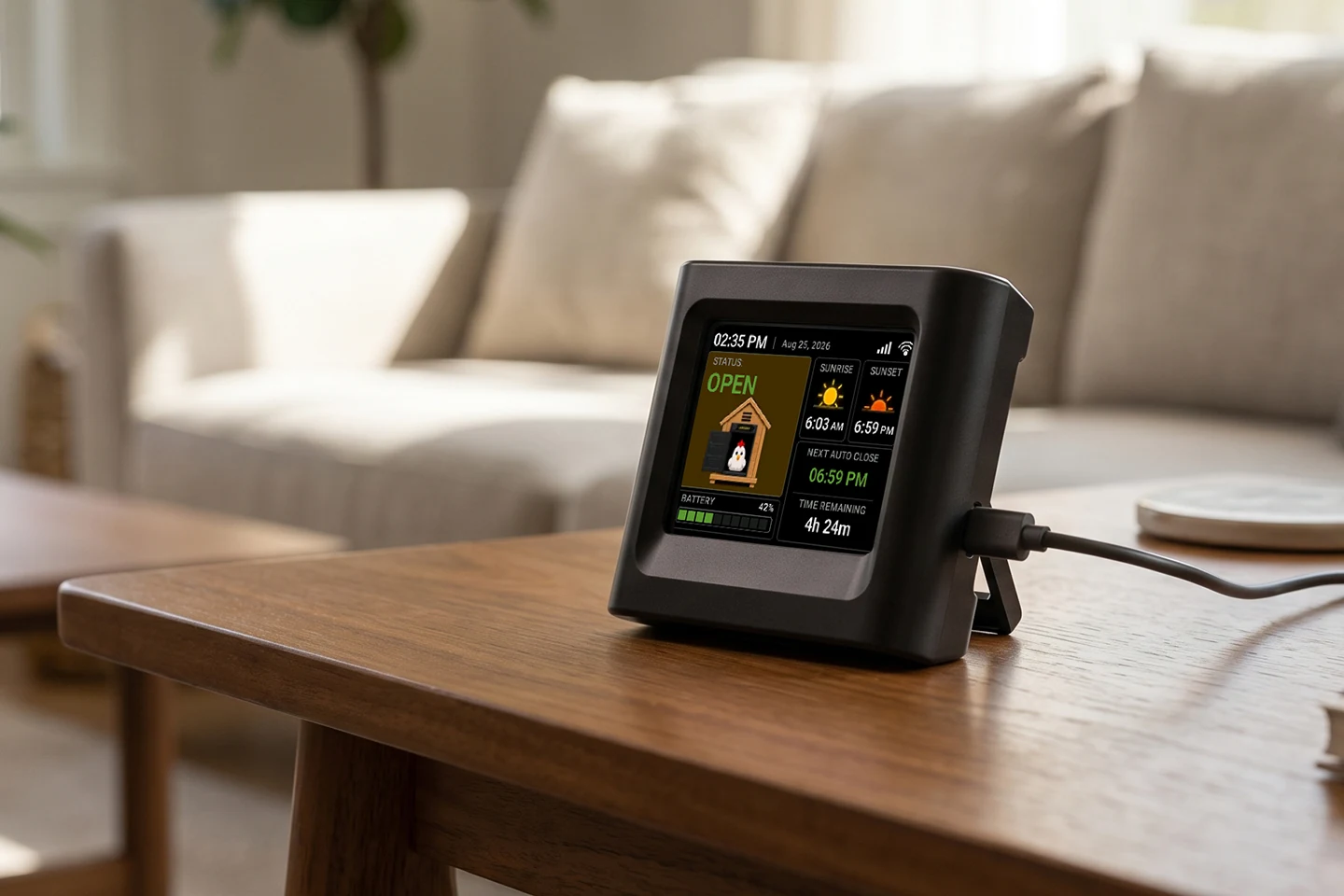
- The gateway does the heavy lifting.Indoors on wall power it runs the control, the display and the Wi-Fi — always on, so the door’s state reaches the app in real time.
- Paired to one gateway only.The door unit answers its own gateway and ignores every other radio on the band — a point-to-point link, not an open channel.
Remote check & control
Check it. Tap it.
Know it moved.
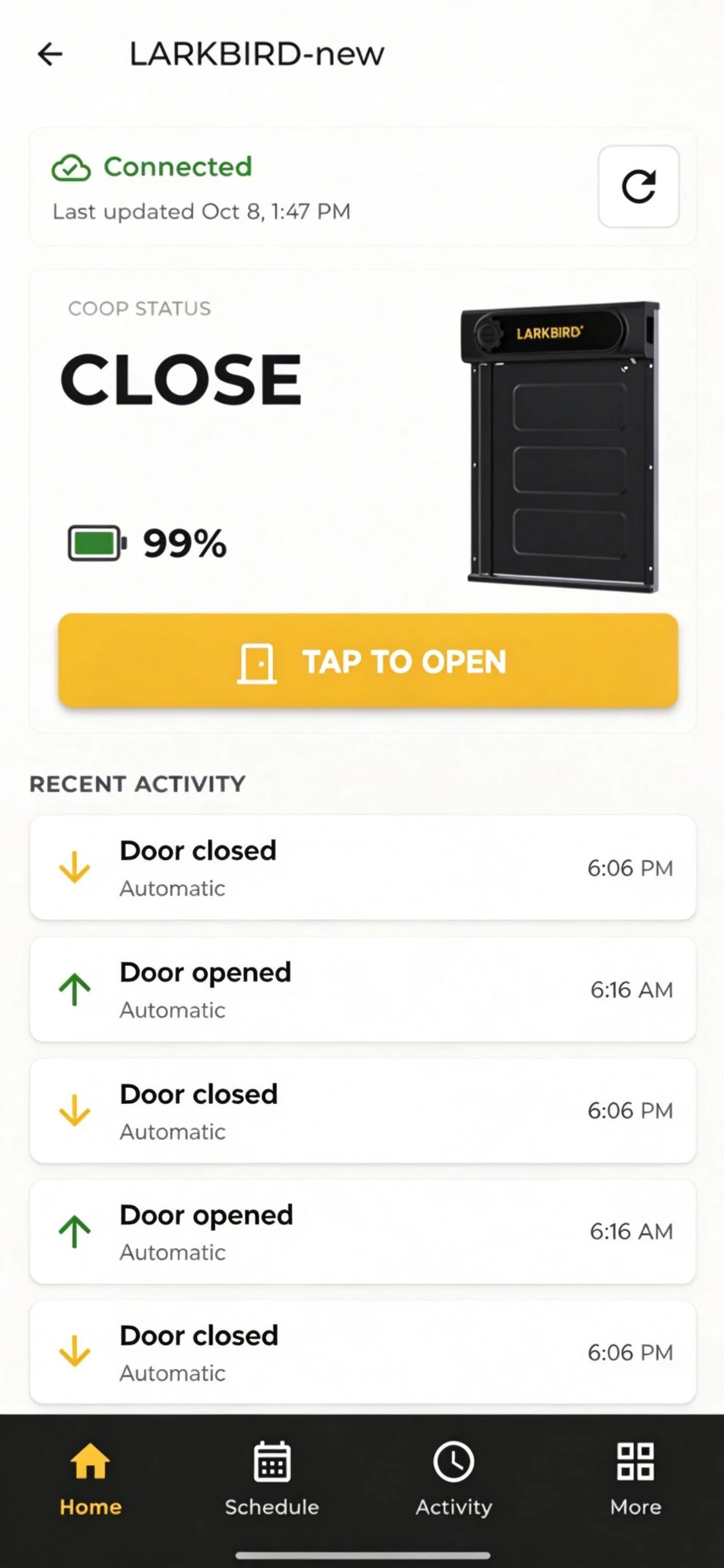
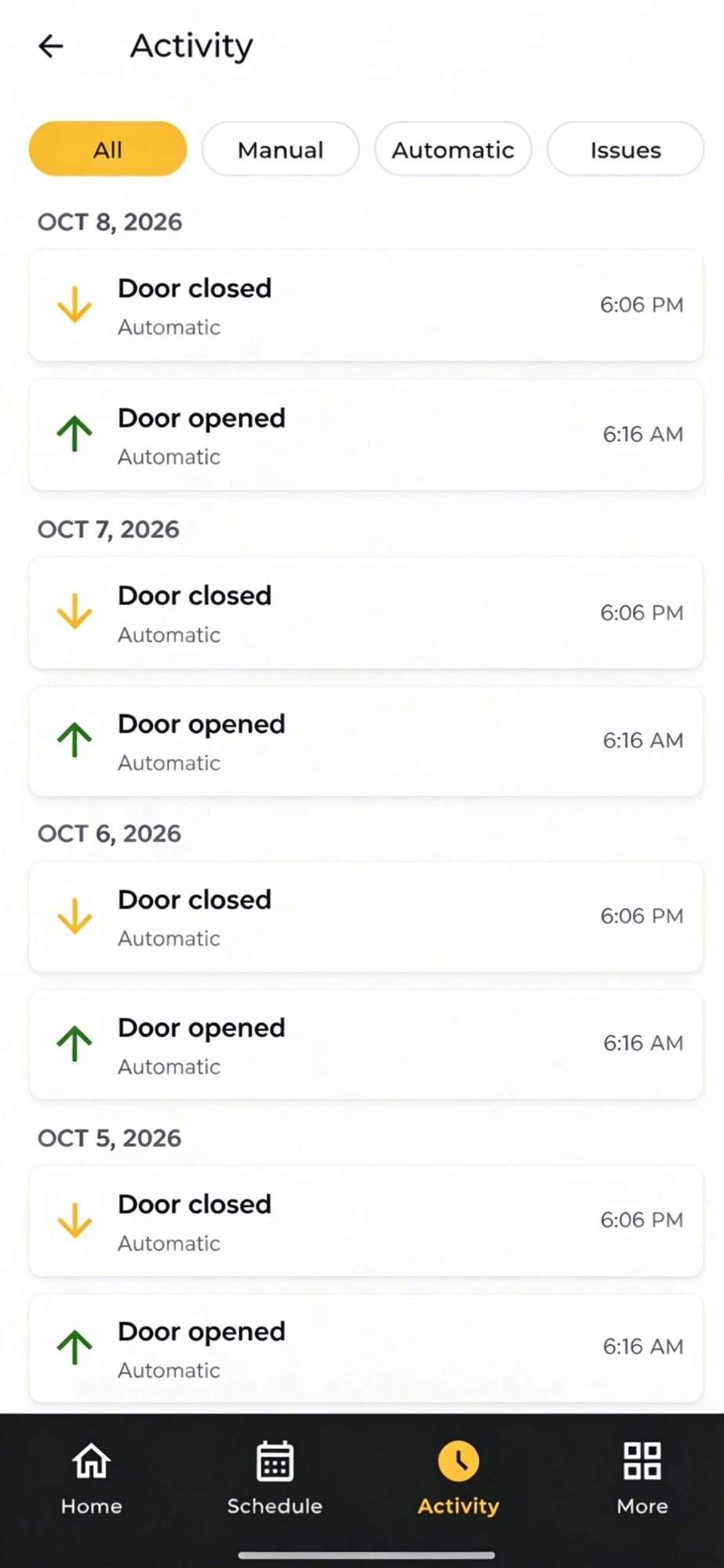
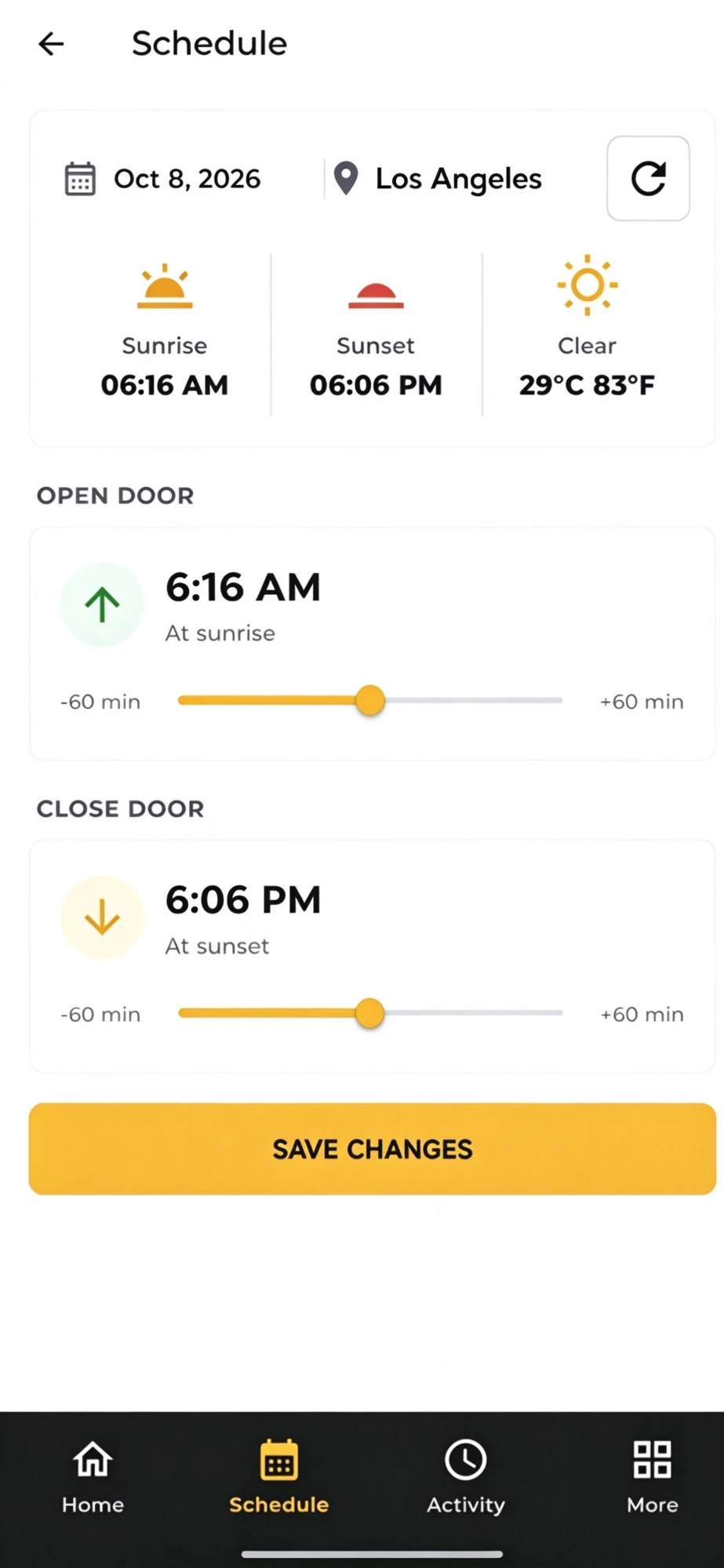
Open the app from anywhere and see the door’s state, its battery, and its recent moves. Tap to open or close. Every action comes back confirmed, and when something blocks the door you get an alert instead of a silent guess — so you stop wondering and start knowing.
Signal language
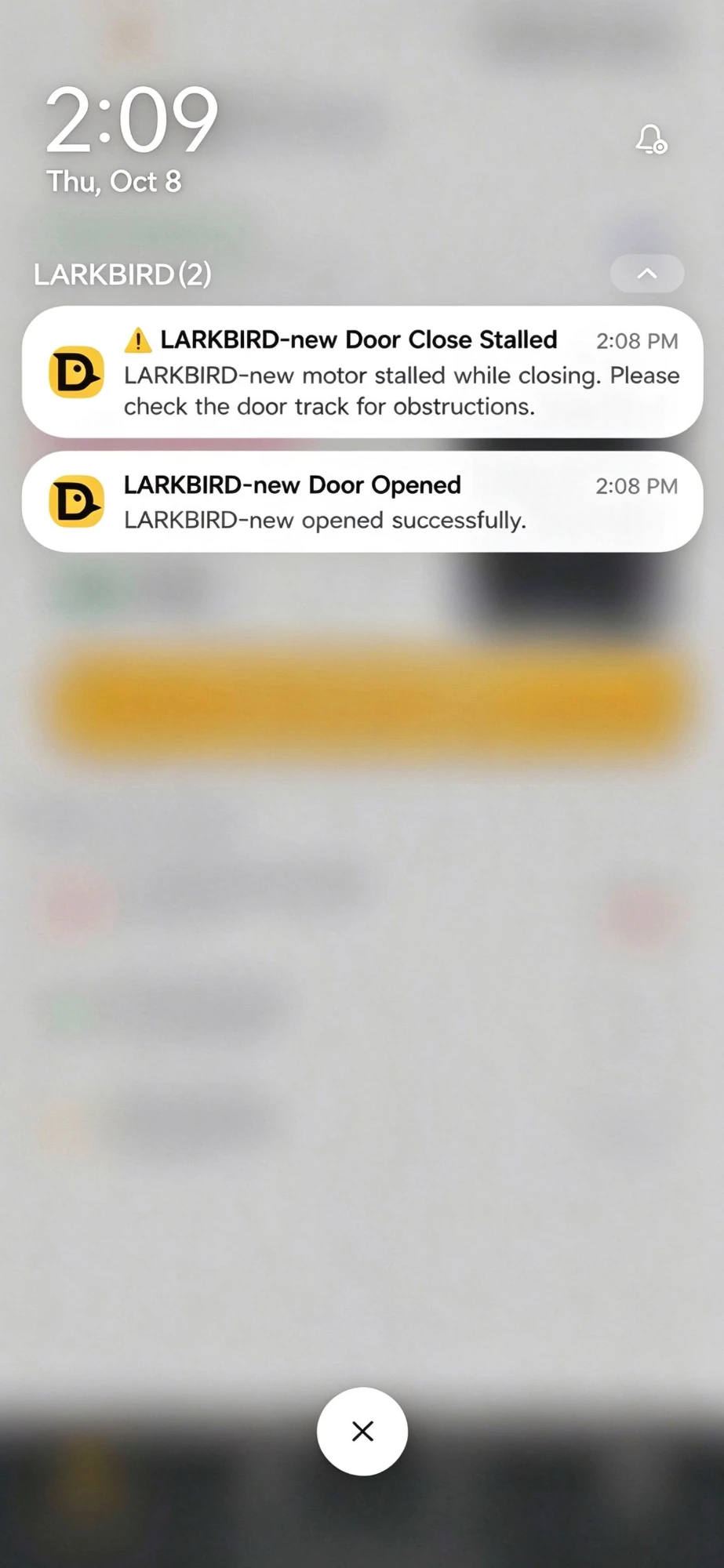
One vocabulary, day and night.
App and LED signals in the current build — final design may differ at launch.
Always on
Something goes wrong?
Your phone already knows.
The watch never clocks out. Day and night the system checks the door, the battery, the motor and the link — and the moment anything is off, a notification lands on your phone with the log to back it. No siren, no pretend guard dog: you know what happened, and when.
- Forced-open alert.If something pulls the door open from outside, you hear about it.
- Stalled-motor alert, in stages.Blocked on something? The door backs off and retries twice; the third attempt pushes full power for five seconds. Still stuck — it stops for good and your phone gets the alert.
- Low battery, with margin.A warning at 30% — raised with days of runtime still left, not minutes.
- An auditable log.The last 50 door events stay on the unit, each marked done or failed, ready in the app.
- Self-checks.Every two hours the door verifies its motor and its link, and reports drift.
Automatic schedule
It follows the sun.
You set the offsets.
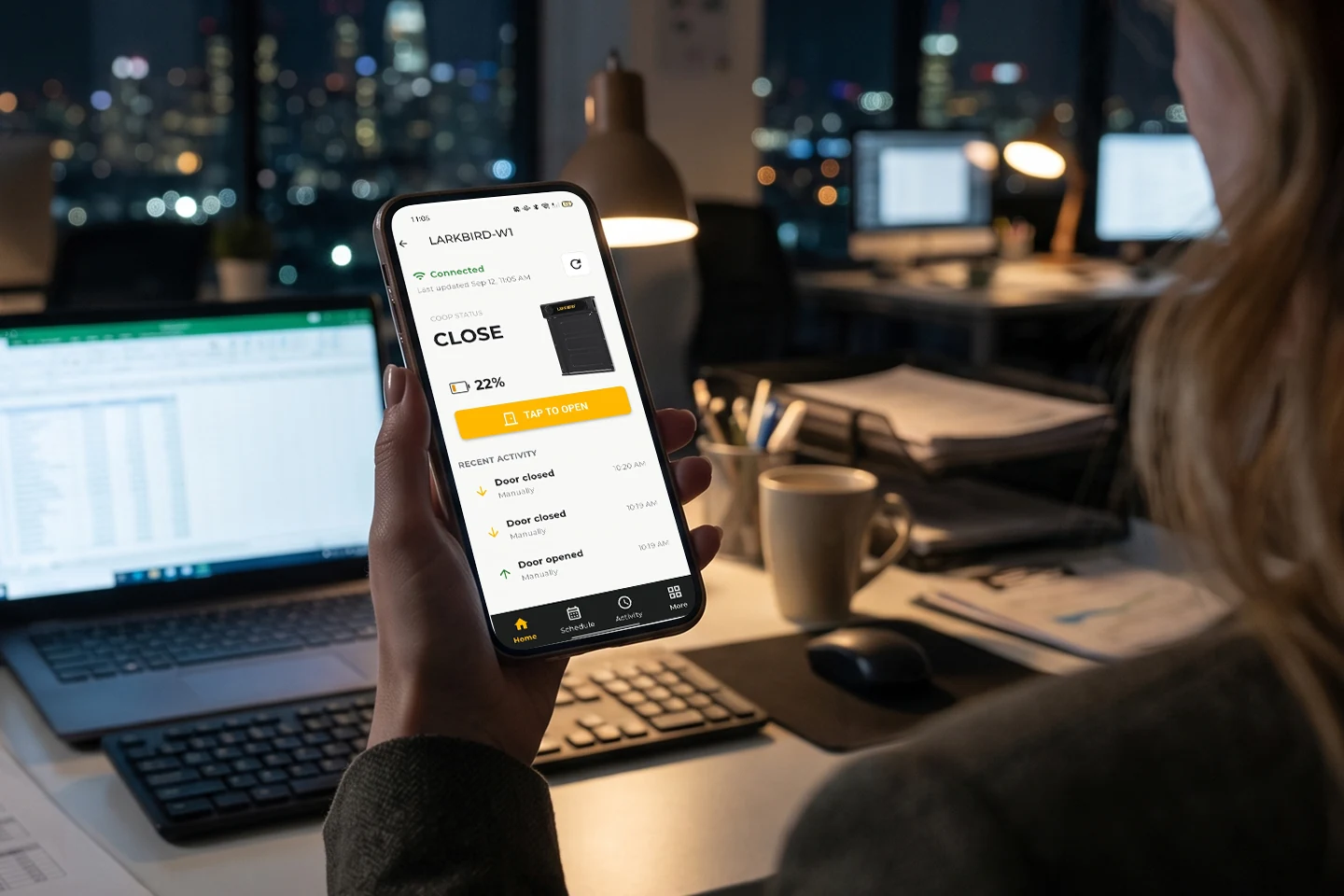
The door opens a set number of minutes after sunrise and closes a set number before sunset — calculated from your location’s actual sun times, not a fixed clock. Short winter days and long summer evenings take care of themselves.
- Set it once.Sun times refresh automatically for your location — the schedule never needs seasonal edits.
- Your hour to shift.Open up to 60 minutes after sunrise, close up to 60 minutes before sunset — or any offset in between.
- It catches itself up.If a sync is missed, the door re-checks and catches up on its own — not stuck until you notice.
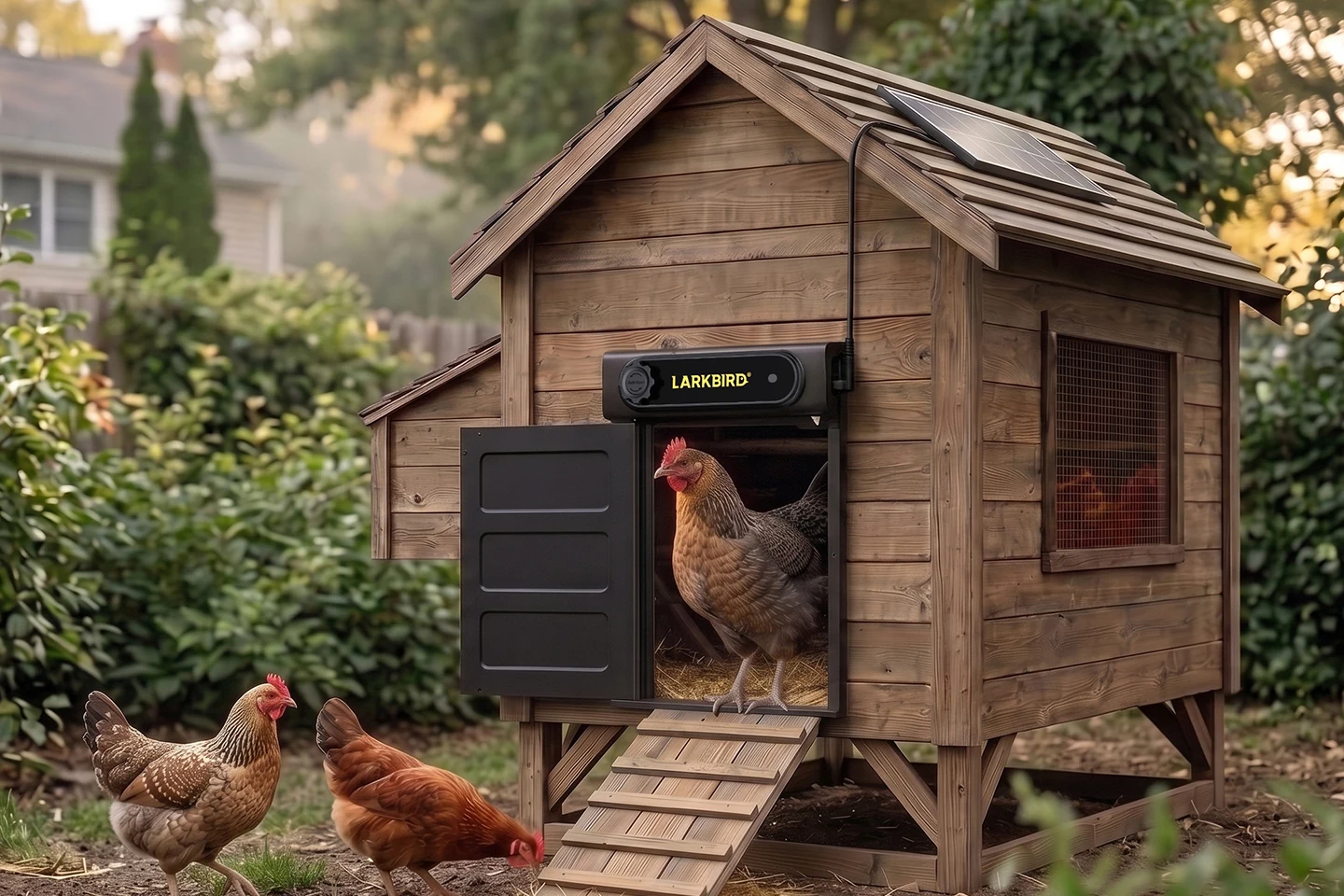
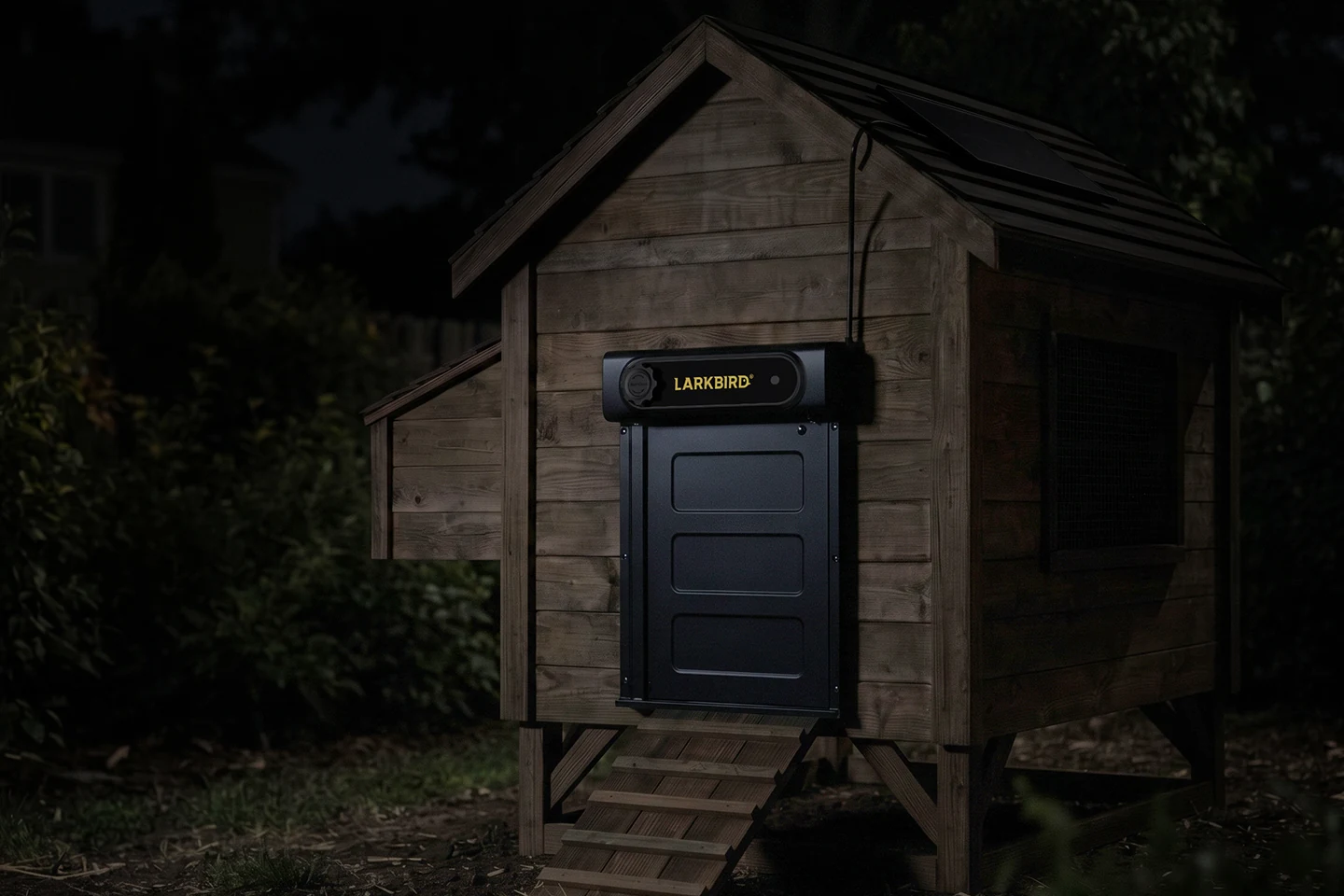
Power
Charged for the season,
not the weekend.
The split works because the door barely spends — so the battery story earns its own line.
- 15+ days on the battery alone.Bench-tested with the door cycling daily — before any solar help.
- In theory, unlimited.In normal sun the solar panel refills faster than the door drains.
- Never a silent stop.A 30% low-battery warning with days of margin, plus Type-C backup charging.
Solar charged it through rain. Then we unplugged it.
Phase 1 · solar charging in rain and clouds · Phase 2 · solar disconnected, battery only · Aug 1–23, 2026
- Sunny
- Partly cloudy
- Overcast
- Rain
- Thunderstorm
Outdoor engineering
Built for life outdoors.
-
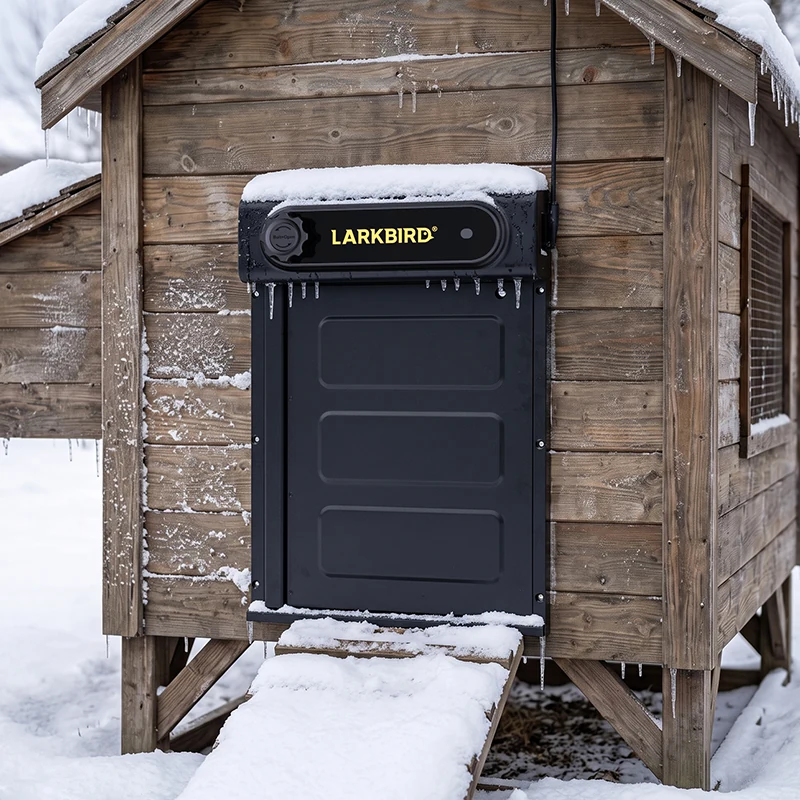
Winter installation −25 °C to 60 °C. Rated across freeze and heat. Before opening in freezing weather the door checks its own position, retries with extra force to break light ice, and writes every ice-break to the log. -
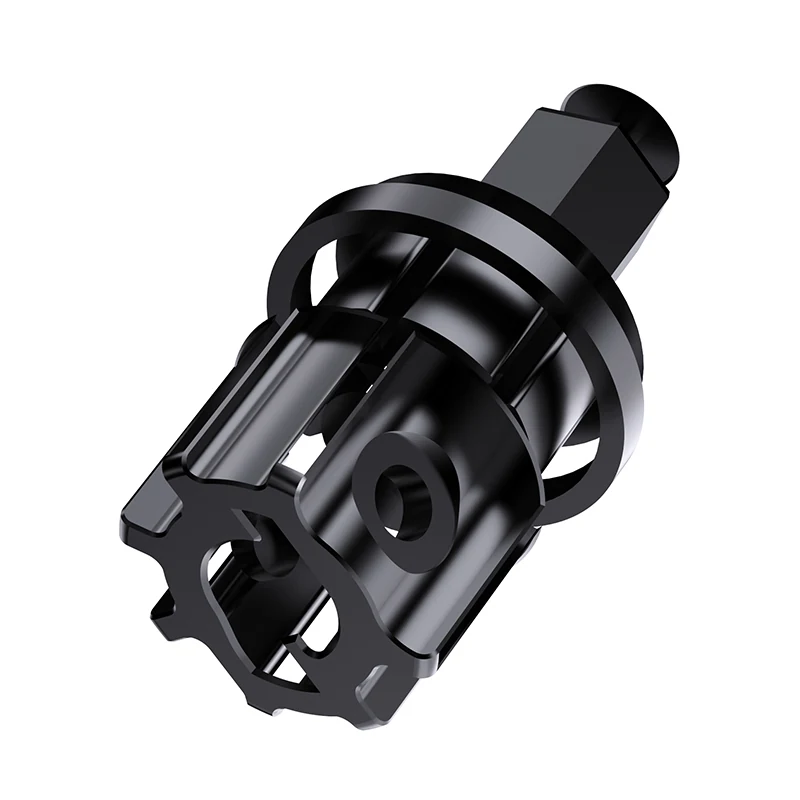
Component render · metal drive shaft Metal drive shaft. The flip door turns on a metal shaft, not a plastic clip. -
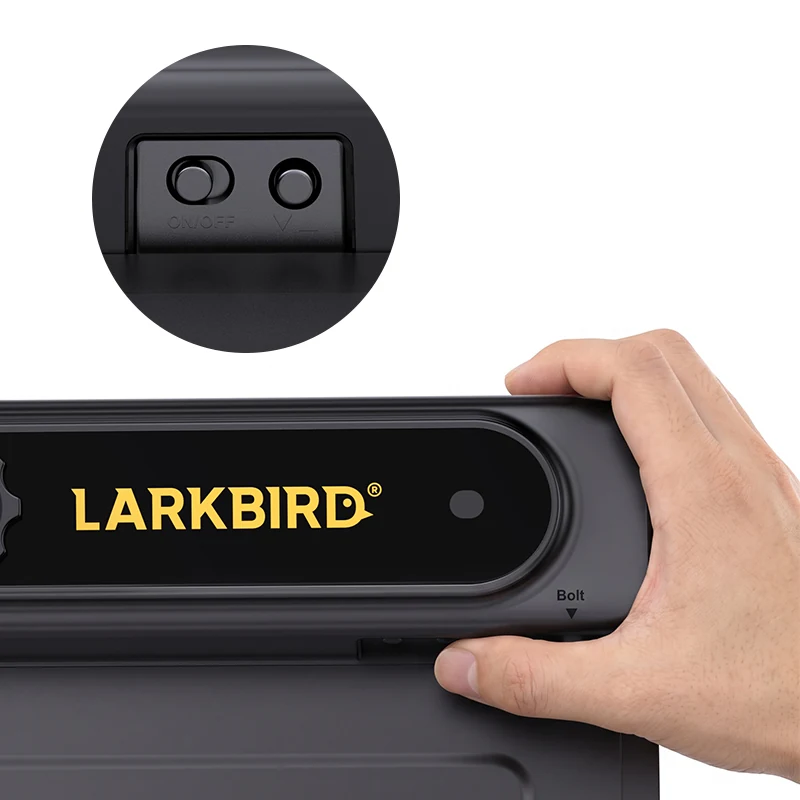
Product photo · nothing to press from outside Nothing for a raccoon to press. No exposed switches on the outside of the unit. -
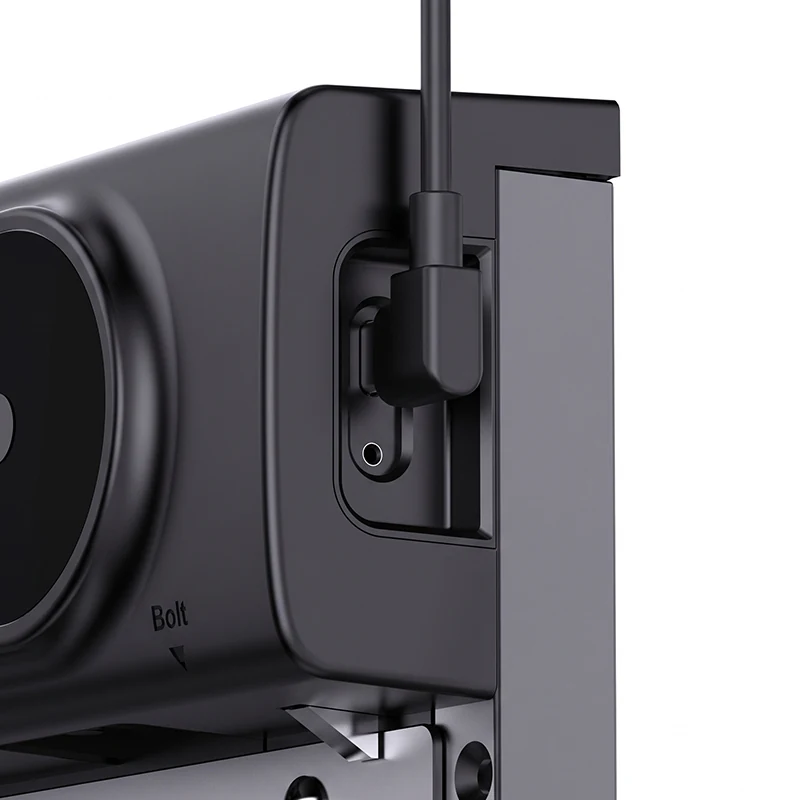
Product photo · Type-C backup charging Type-C backup charge. A long grey stretch beating the solar? Charge the door unit indoors, like a phone.
Field notes
What we’ve tested —
and what’s still open.
- 204 cycles, 204 successes.One continuous endurance run: 102 opens, 102 closes, zero failures. Average move 0.25 s; the slowest single move 5.5 s.
- 250 m through a real backyard.The door-to-gateway link, field-tested with houses, walls and trees between the units — not open-field numbers.
- 15+ days on a charge.Bench observation with the door cycling daily; the solar panel extends it further in normal sun.
- 433 MHz, license-free band.Sub-GHz, long range, short low-power bursts — chosen because coops live where Wi-Fi doesn’t.
- Door opening
- 8.5″ × 11.4″ (21.6 × 29 cm)
- Door unit
- 15″ × 11″ × 2.16″ (38 × 28 × 5.5 cm)
- Battery
- 5,000 mAh — solar panel plus Type-C charging
- Radio
- 433 MHz link to the indoor gateway
- Temperature
- Rated −25 °C to 60 °C
- Gateway
- Wall-powered indoors, Wi-Fi to your router
- App
- iOS and Android — in development
- FCC certification is in progress on the final radio configuration.
- App screenshots show the current development build; screens will change before launch.
- The first production run is 500 units.
- Severe icing can still stop the door — you’ll get the alert, not a silent failure.
Launch updates
Know the moment it’s ready.
Get product news and launch updates by email.

You’re on the list.
We’ll email you when the coop door launches.
Guides & stories
More Smart Coop Door guides
Do Automatic Chicken Coop Doors Need Wi-Fi?
Wi-Fi decides what you can do from your phone, not whether the door opens. How timer-only, Wi-Fi-at-the-coop, and radio-link coop doors actually differ — and what to check before you buy.
Will an Automatic Coop Door Survive Winter?
Ice, not cold, is what stops an automatic coop door in winter. What actually breaks, what a rated door does about it, and the alerts that matter before a dark morning.
Mains, Battery, or Solar: Which Coop Door Power Option Should You Choose?
Coops rarely have outlets, so power drives reliability. Compare mains, battery, and solar coop door power on winter behavior and install effort.